
See it work
Three real workflows, from the first tap to the last sign-off.
Every screen on this page is the real Linkfield app, filmed on the phone and in the office. The company is made up (Northline Civil, a civil contractor), the workflows are exactly what your crew and your office would do.
Workflow 1 · Incidents
From a near miss on site to a closed, audit-ready report.
Sam finds a fence panel left open at gate 2. Watch it go from his phone to a signed-off report with photos, root cause and a corrective action, without a single phone call.
-
1
Site supervisor · phone
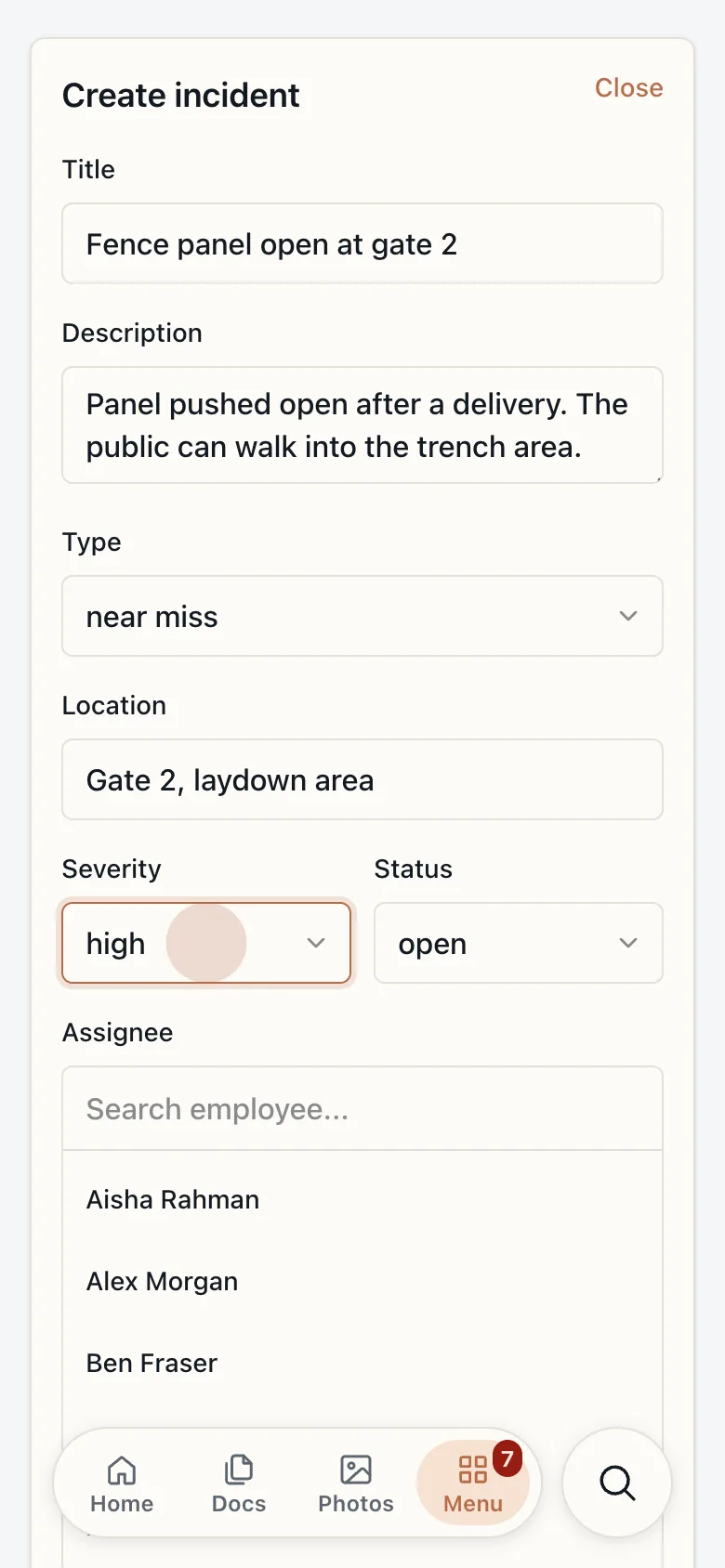
Report it before leaving the spot.
Title, type, location and severity, typed in under a minute. Sam picks who owns it and which project it belongs to, and they are notified straight away.
-
2
Site supervisor · phone
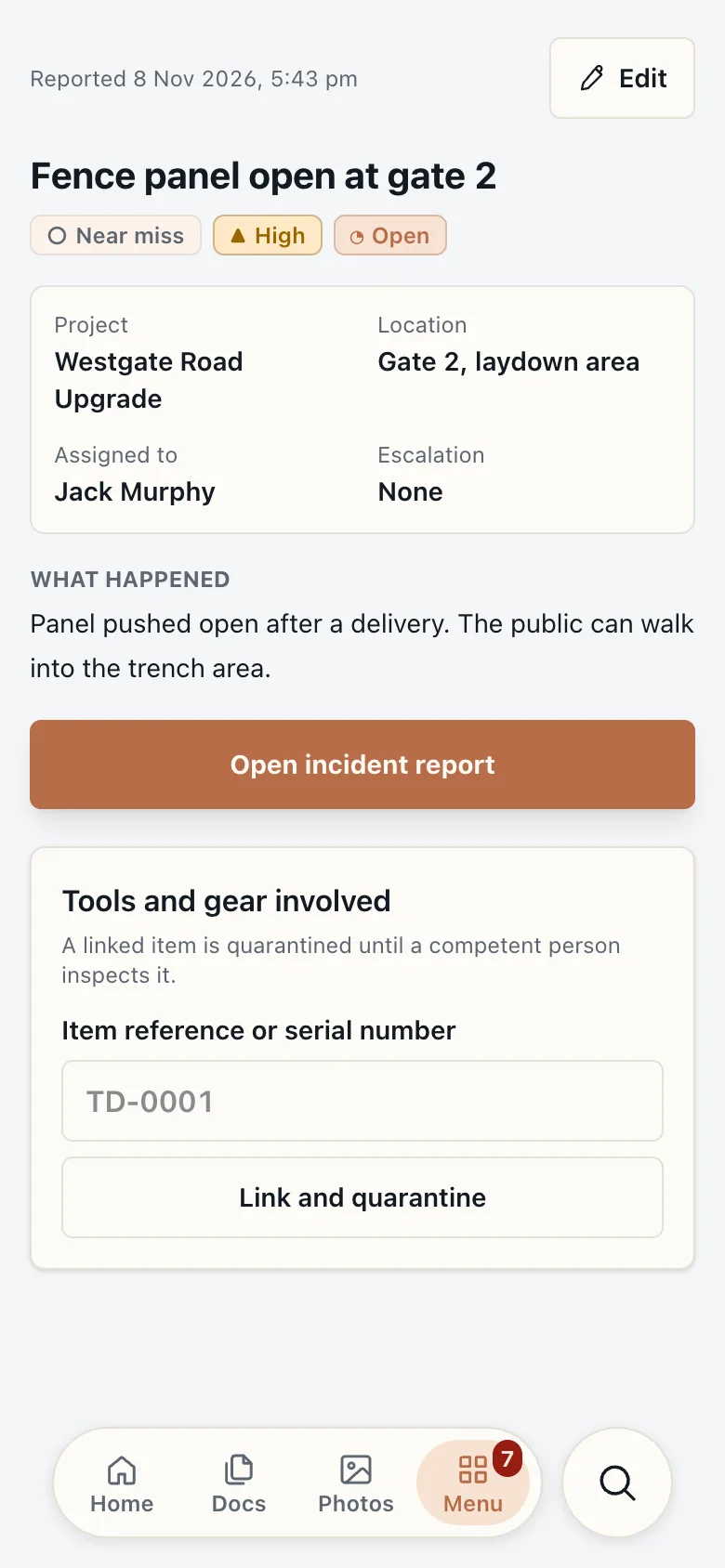
Logged, numbered and assigned.
The incident lands in the register with a reference, an owner, a severity and a status. Nothing sits in a group chat waiting for someone to notice.
-
3
Site supervisor · phone
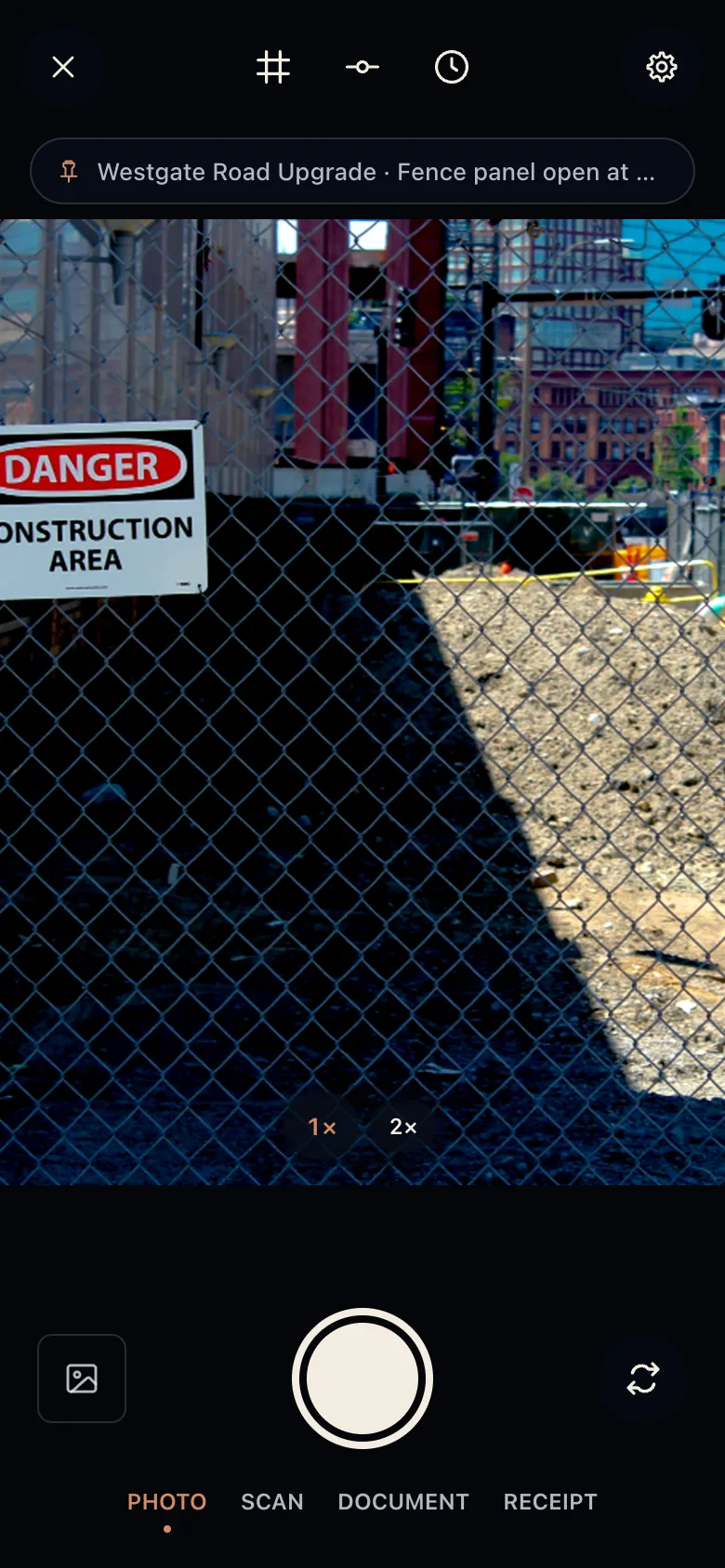
Photo evidence, stamped automatically.
The camera opens already linked to the incident. Time, GPS and project are recorded with the photo, which goes straight into the report's photo log.
-
4
QHSE manager · office
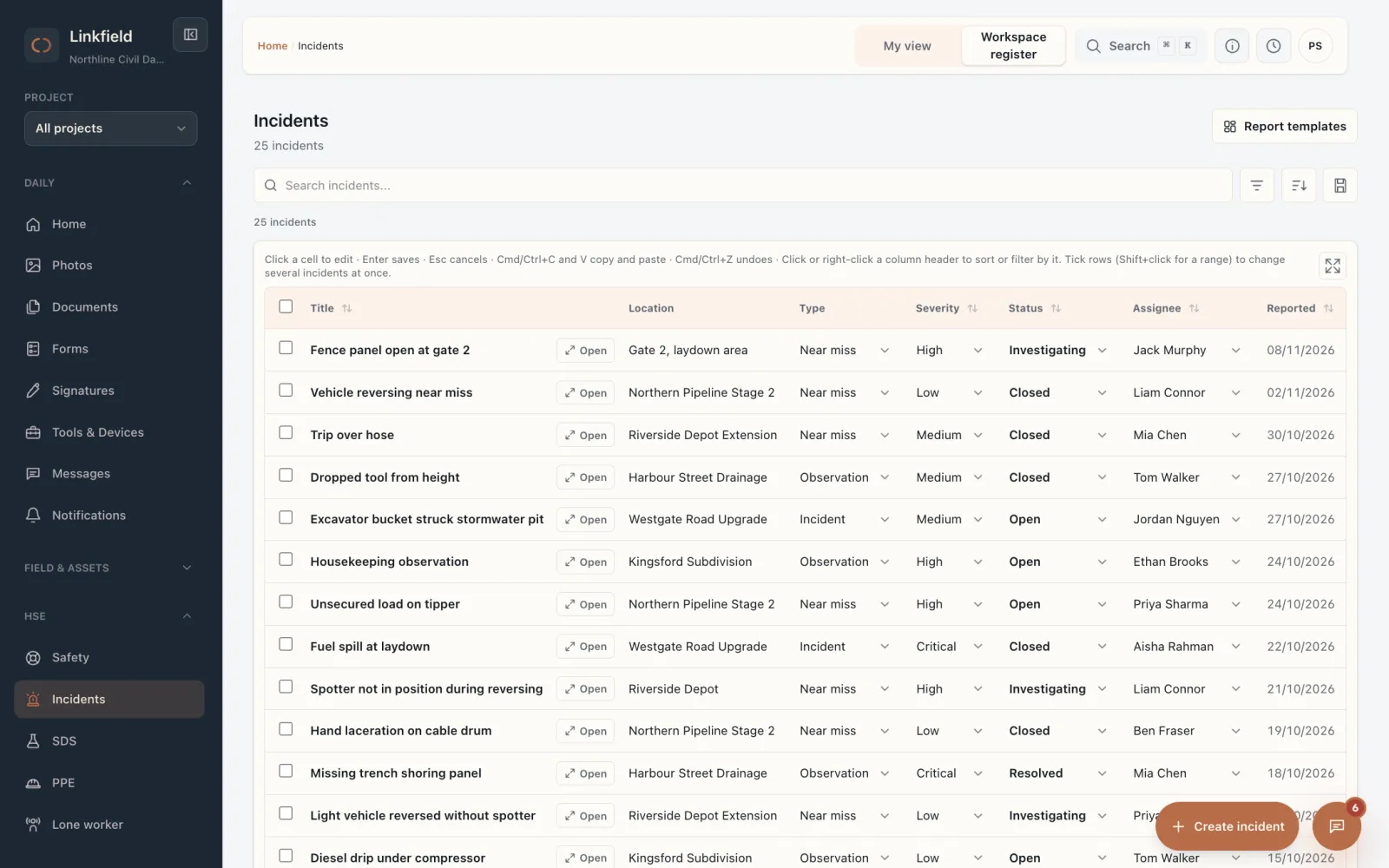
The office sees it straight away.
The near miss is at the top of the incident register, already assigned, with its location and severity. One click opens the full report.
-
5
QHSE manager · office
Root cause, then a fix that sticks.
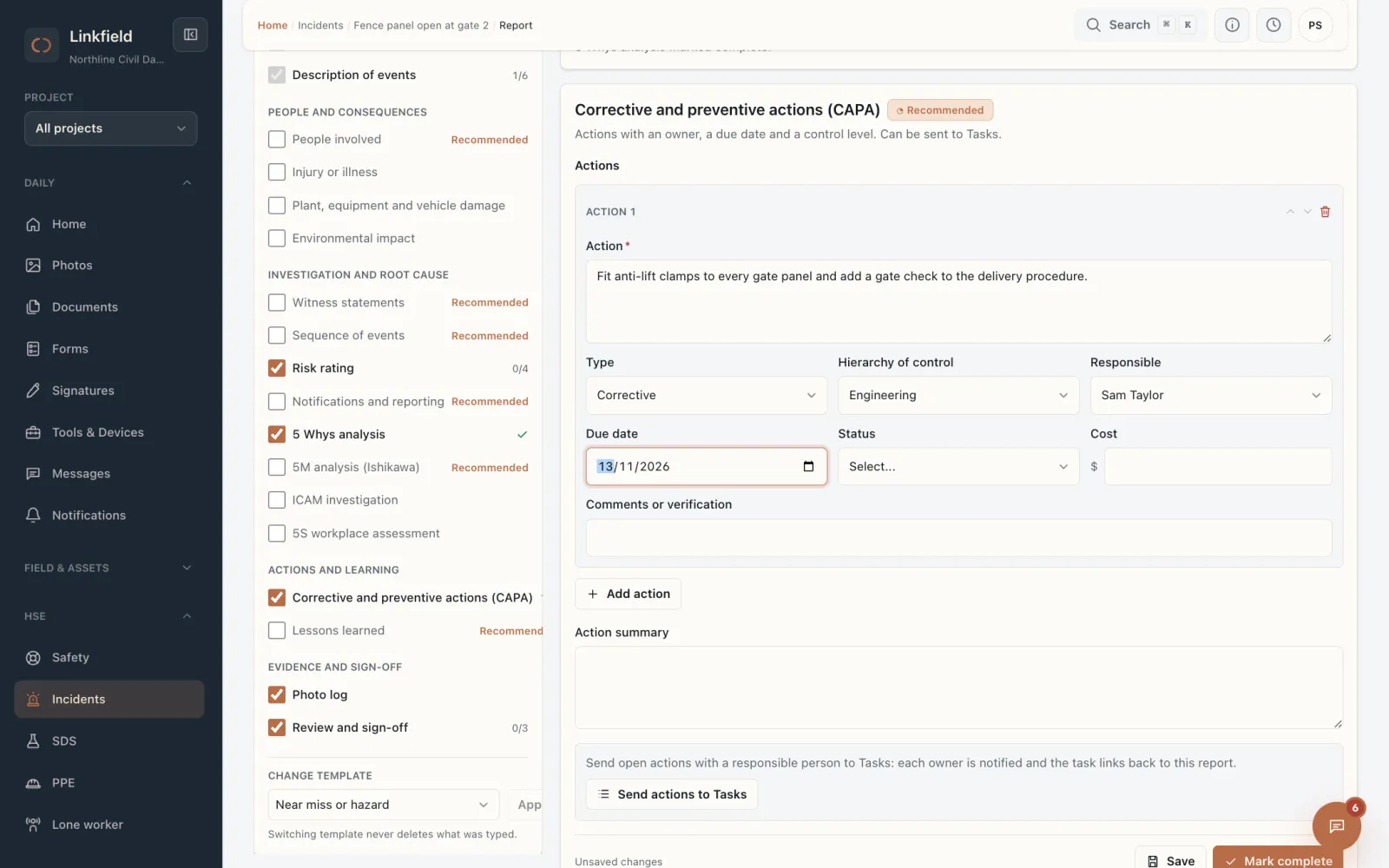
A guided 5 Whys gets to the real cause. The corrective action gets an owner, a due date and a control level, and is sent to Tasks so it actually gets done.
-
6
QHSE manager · office
Signed off and ready for the auditor.
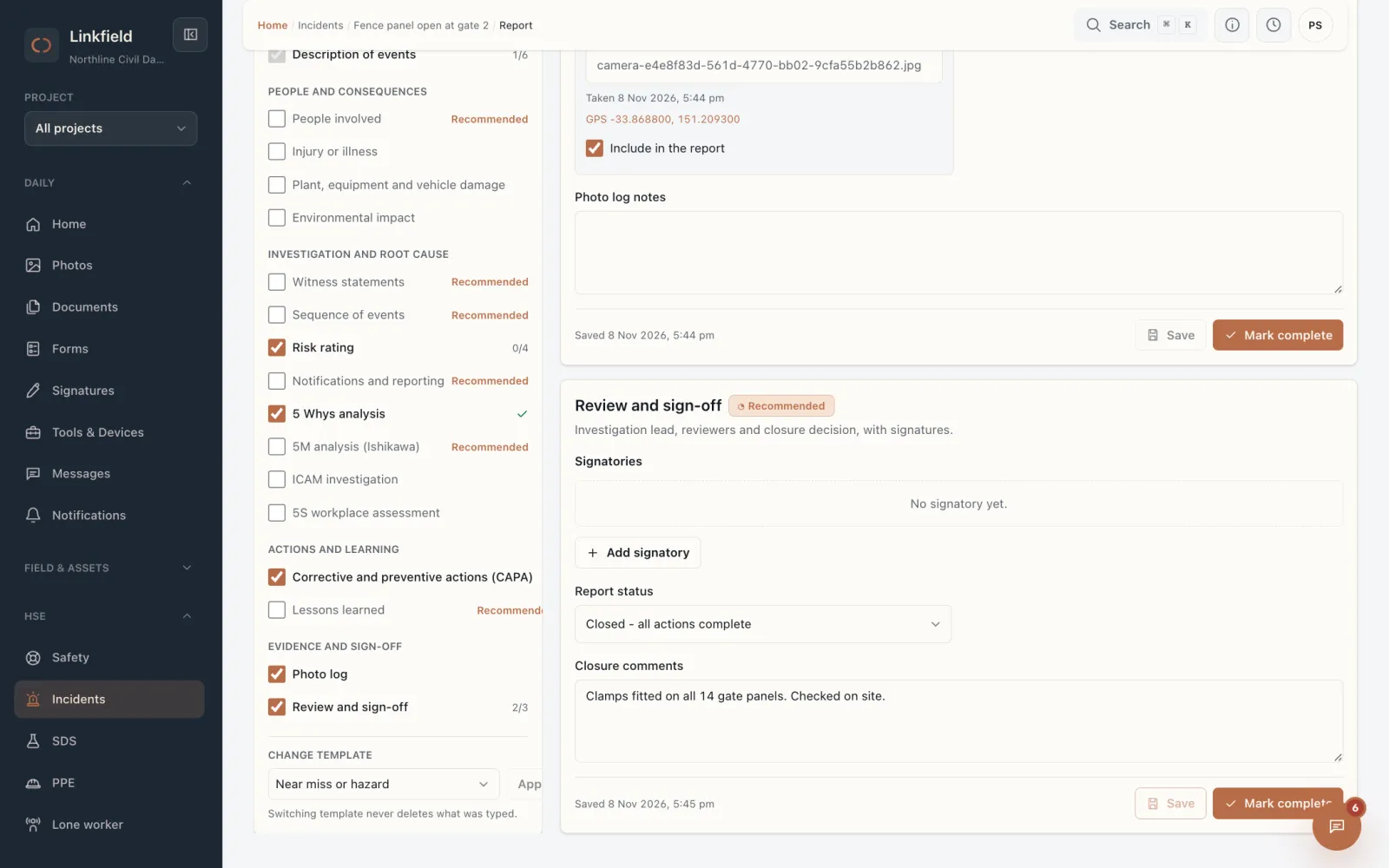
Closure comments and status are recorded against a name and a date. The whole report, photos included, downloads as a PDF in one click.
Workflow 2 · Equipment and maintenance
A defect found at prestart, fixed and signed off the same day.
Jordan scans the QR on excavator EXC-12, finds a weeping hydraulic hose and parks the machine. The workshop picks it up, Ethan fixes it, and the repair lands in the machine's history.
-
1
Fleet coordinator · office
The whole fleet, with what is due.
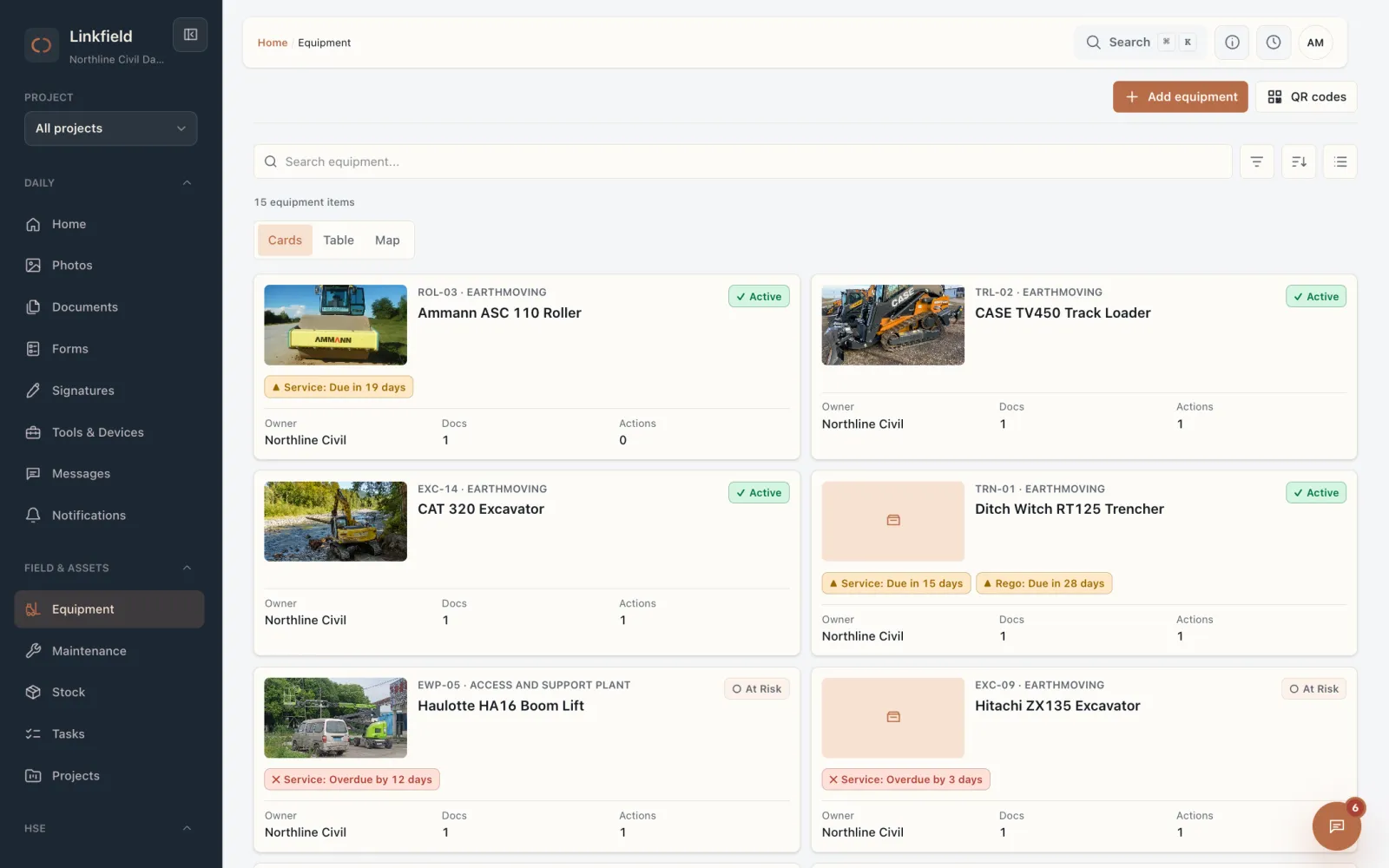
Every machine with its photo, rego, service and inspection dates. What is due soon or overdue is flagged on the card, so nobody has to open a spreadsheet.
-
2
Operator · phone
Scan the QR, open the machine.
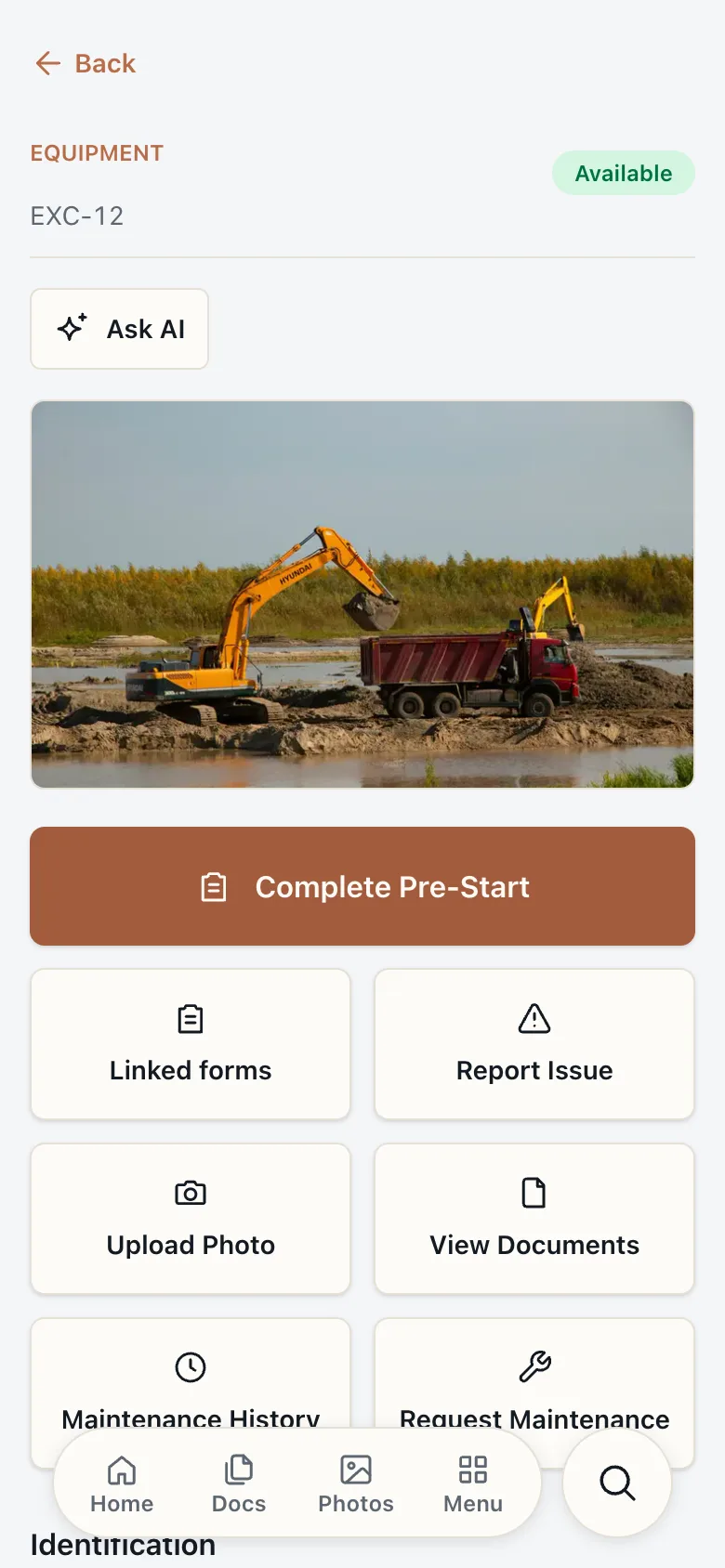
The QR on EXC-12 opens its passport: status, documents, maintenance history and a big button for today's prestart.
-
3
Operator · phone
Flag the defect with a photo.
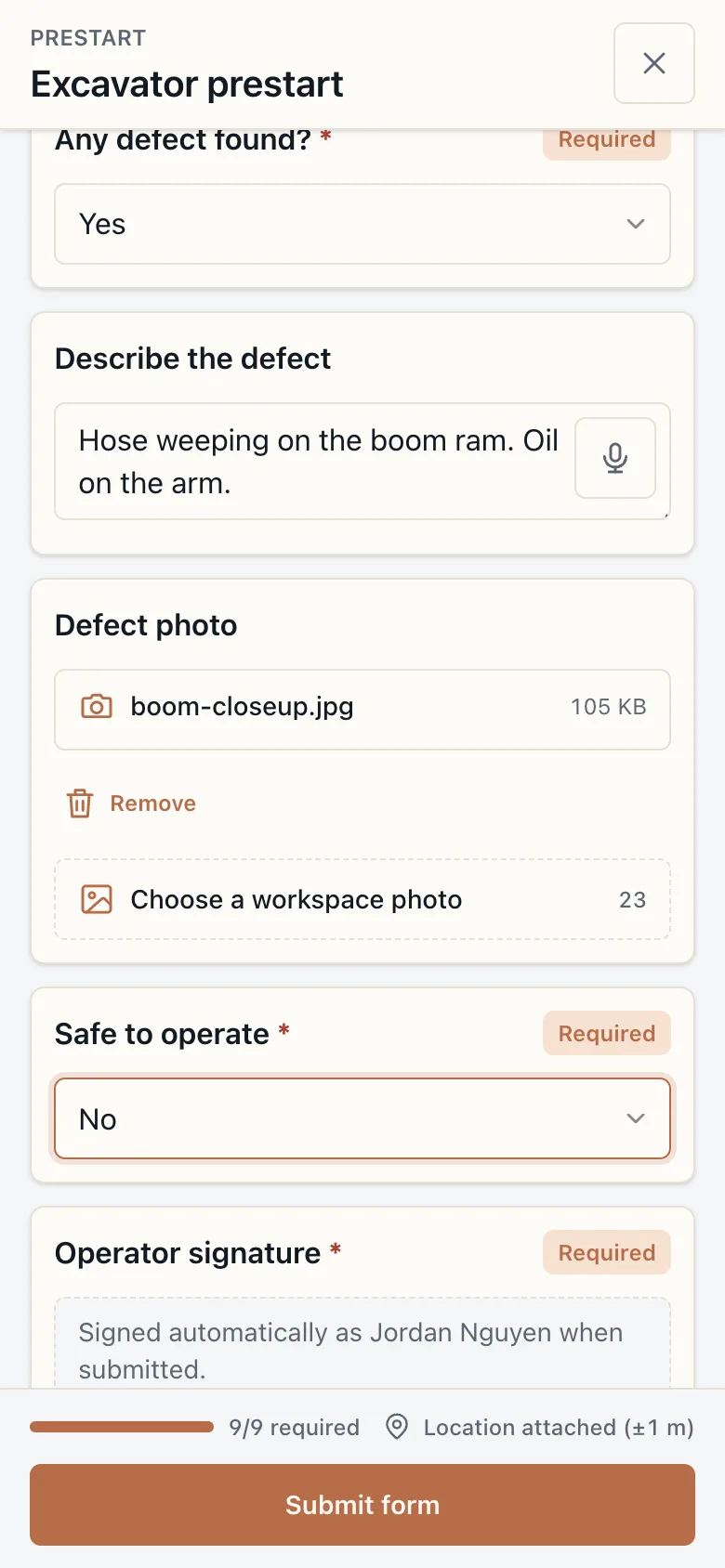
Hydraulic hoses marked defective, a description and a photo, and the machine marked not safe to operate. The prestart is signed and filed against EXC-12.
-
4
Workshop manager · office
Request in, work order out.
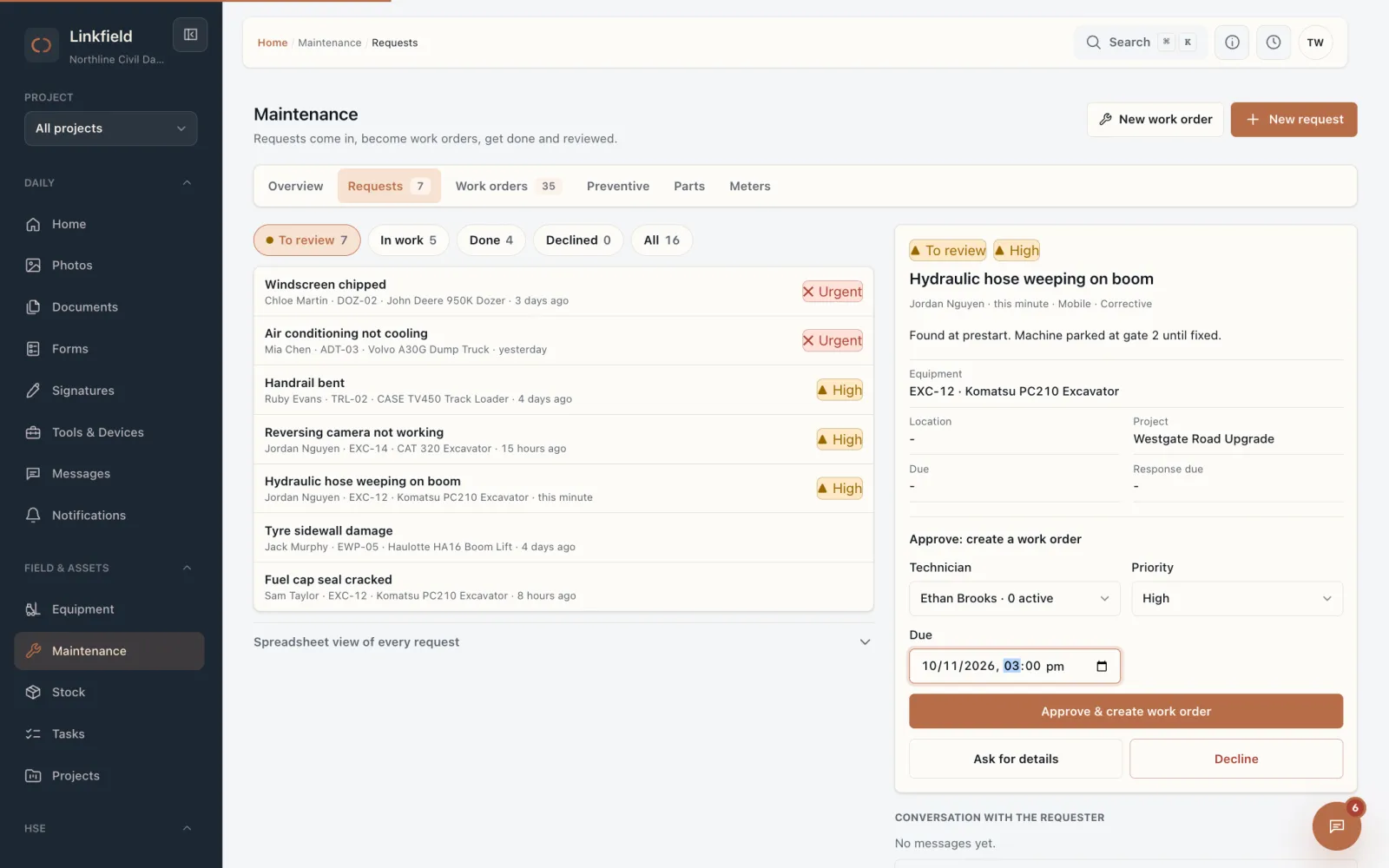
The request arrives in the workshop's triage queue with the machine attached. Tom picks a technician, a priority and a due date, and approves it into a work order.
-
5
Technician · phone
The technician runs the job from his phone.
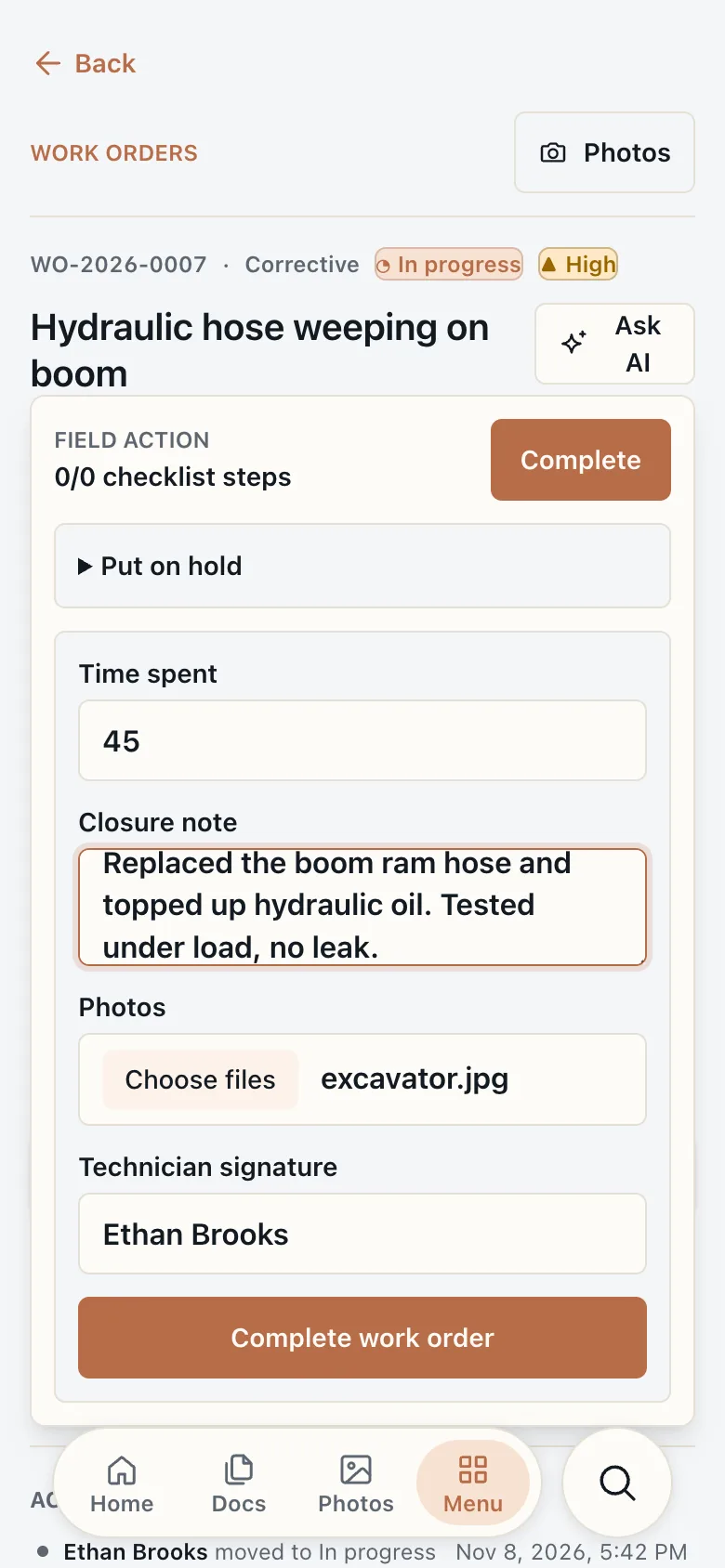
Ethan starts the work order, then completes it with the time spent, a closure note, a photo and his signature. It goes back to the workshop manager for a final check.
-
6
Workshop manager · office
Closed, and part of the machine's history.
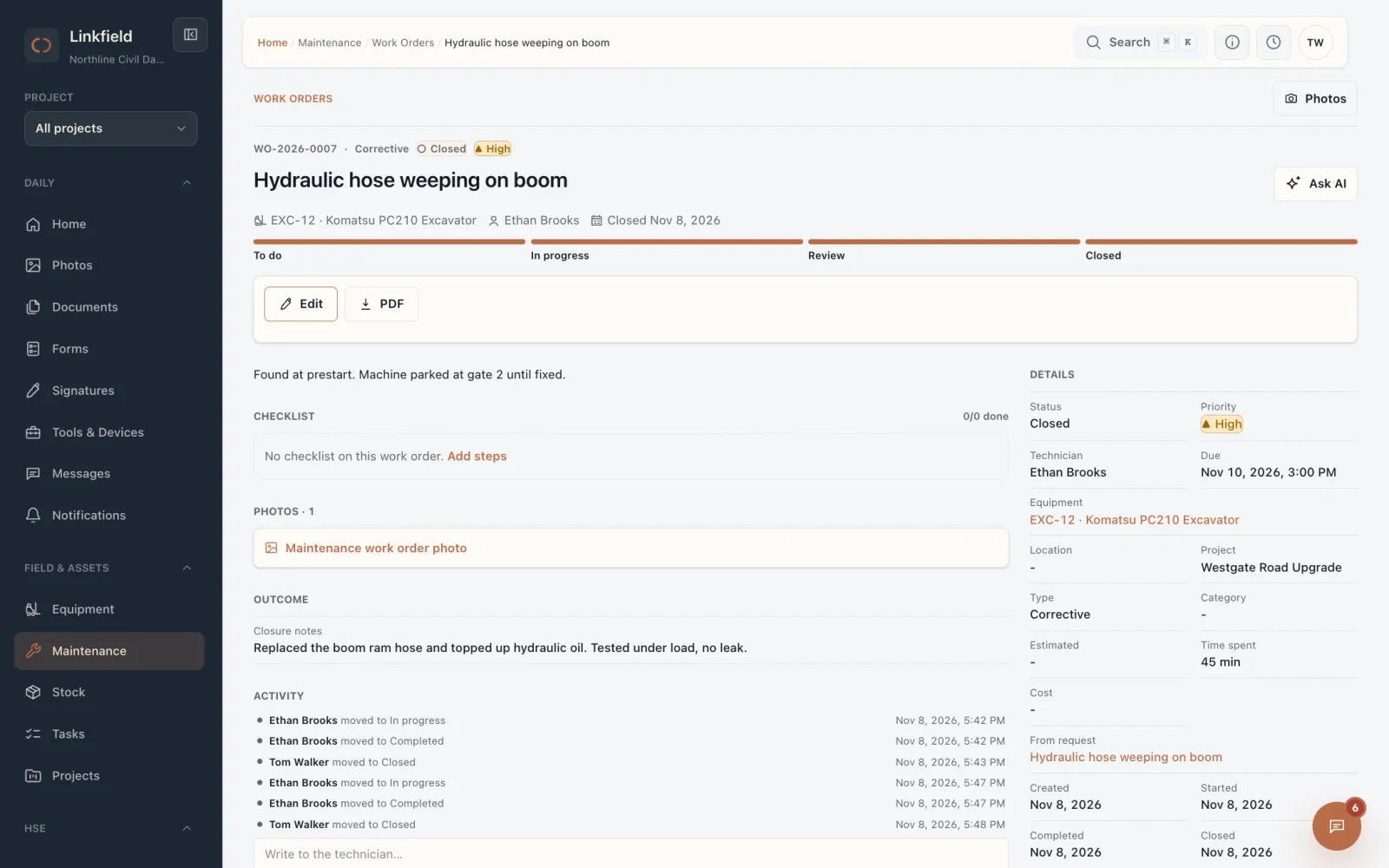
Tom approves and closes the job. The repair is now in EXC-12's maintenance history, with who did what and when, ready for the next audit or resale.
Workflow 3 · Tickets and competency
Know who can run which machine, before the shift starts.
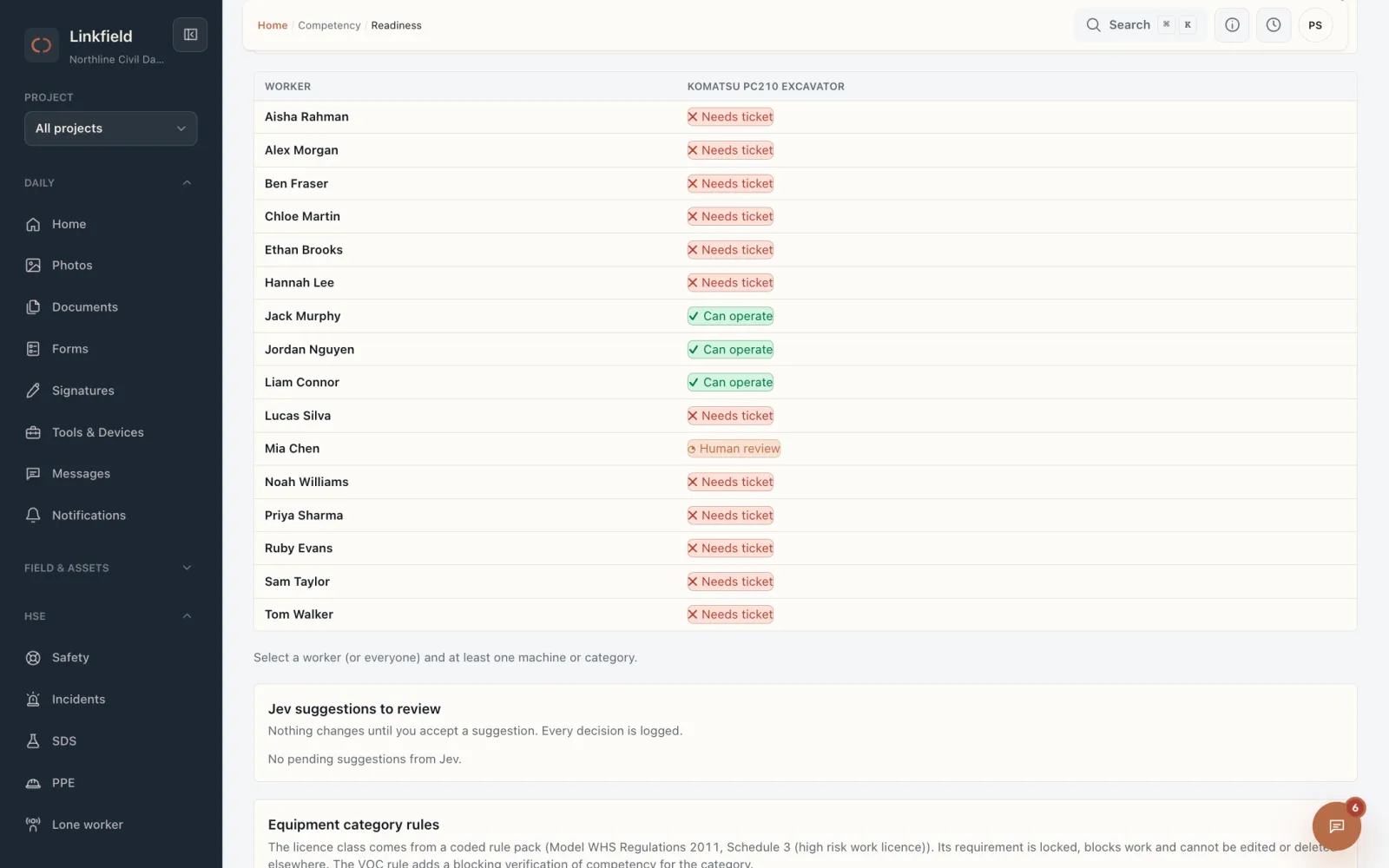
Jack's excavator VOC lapsed last week. Linkfield takes him off the machine, he uploads the new one from his phone, and the office clears him in one click.
-
1
QHSE manager · office
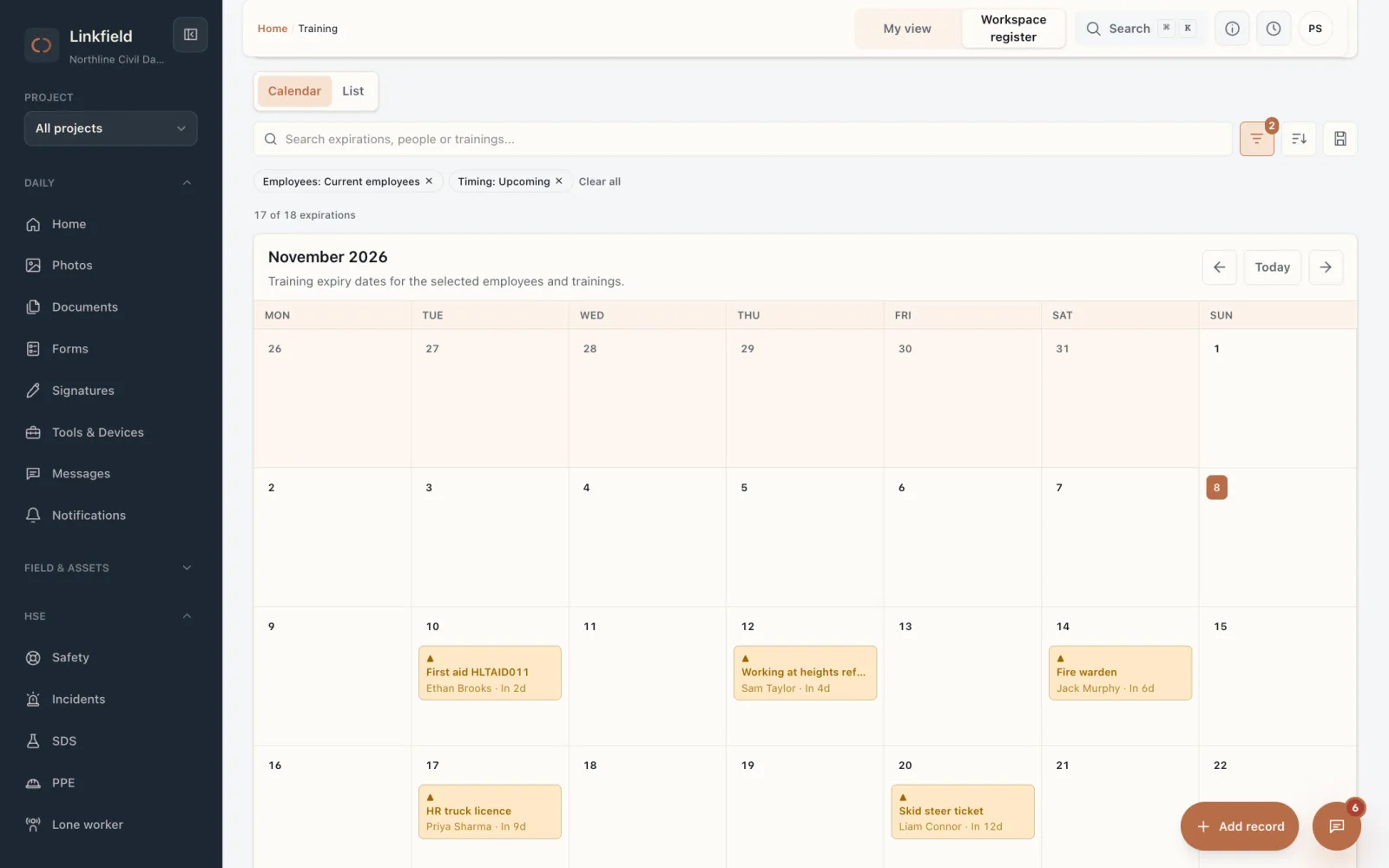
Every expiry on one calendar.
Tickets, licences, VOCs and courses with their expiry dates, by person. Reminders go out before they lapse.
-
2
Supervisor · office
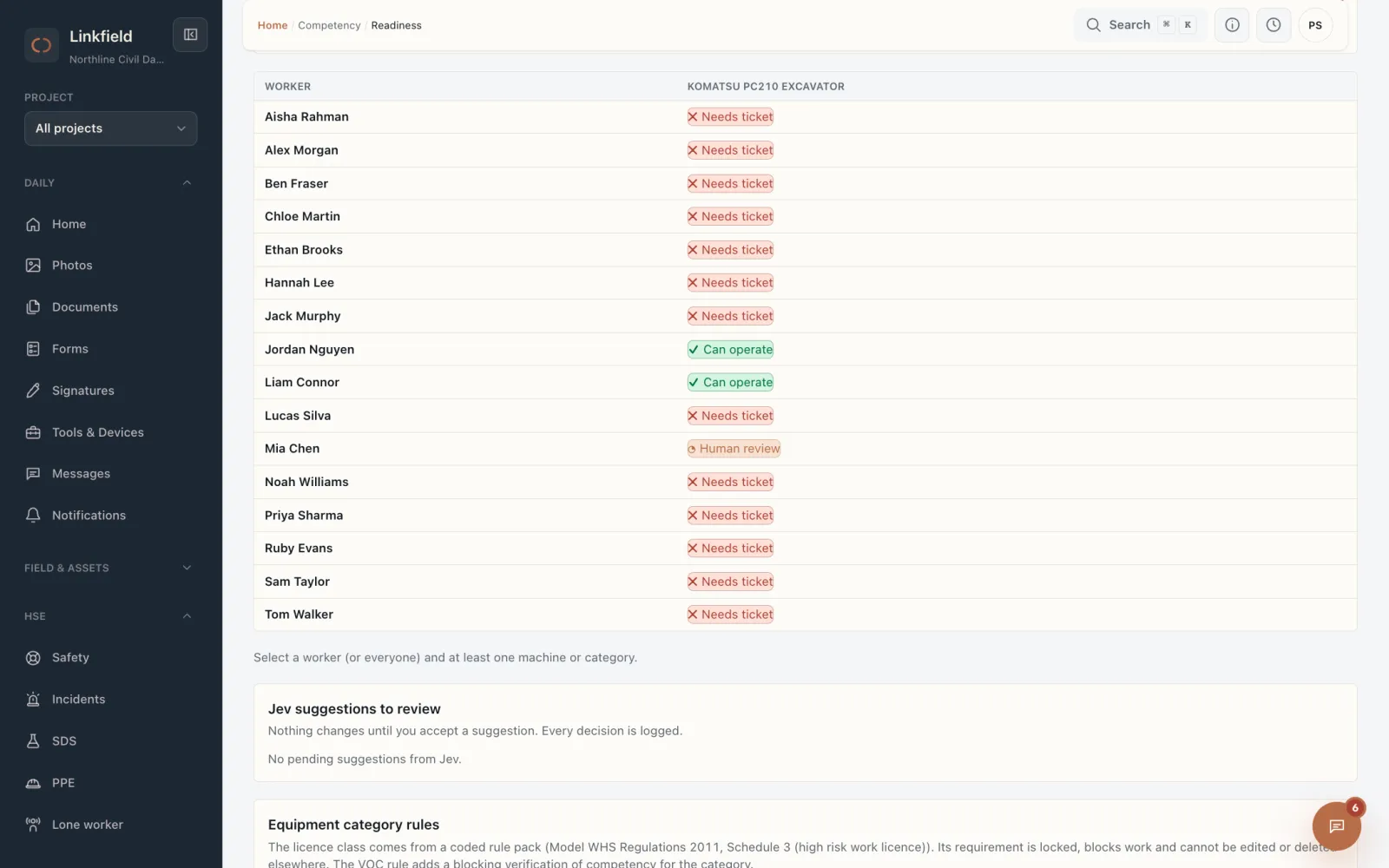
"Can he operate this machine?"
Pick a machine and see straight away who is cleared to run it, who needs a ticket and who needs a check. Jack's VOC has expired, so he is off EXC-12.
-
3
Operator · phone
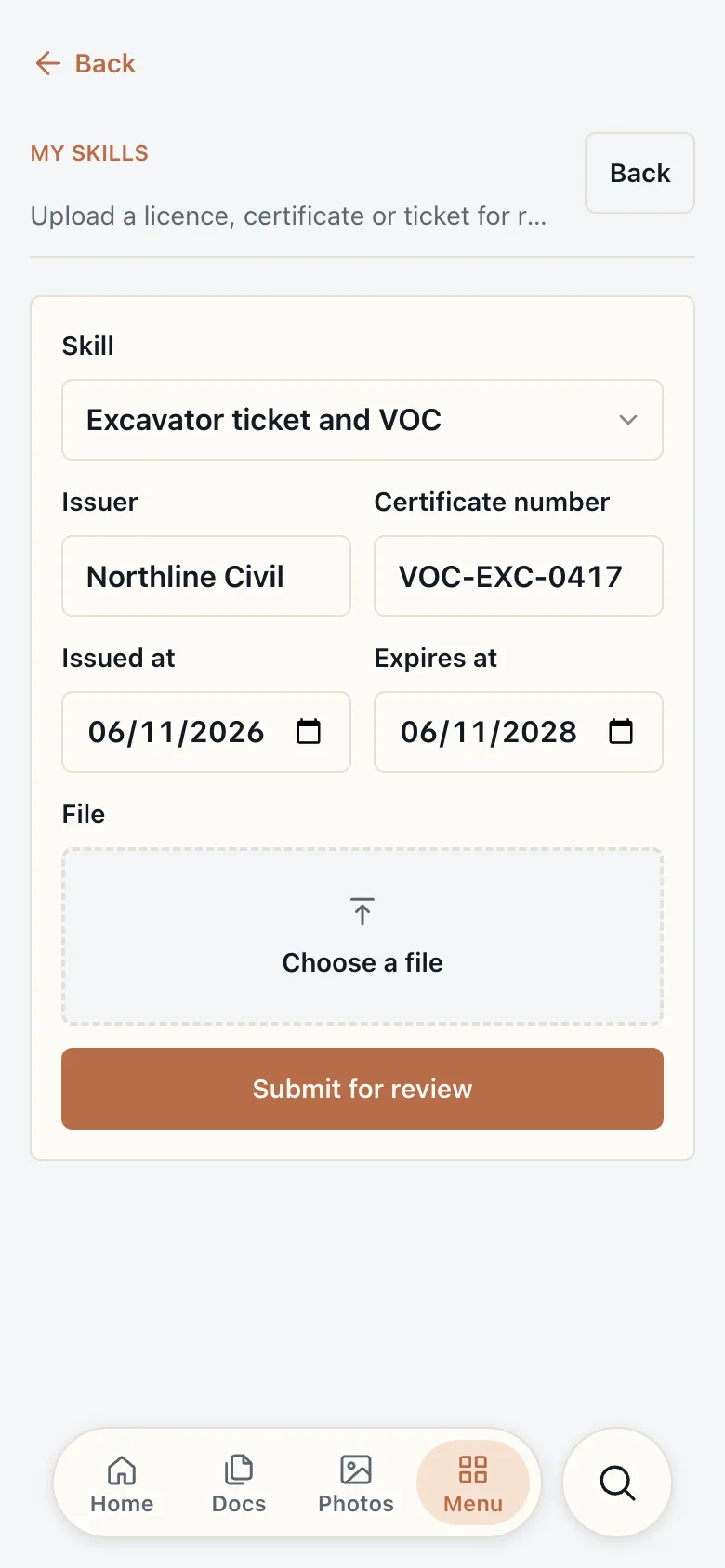
Renew it from the phone.
Jack picks the skill, adds the dates and attaches a photo of his new certificate. No paper copy to drop at the office.
-
4
QHSE manager · office
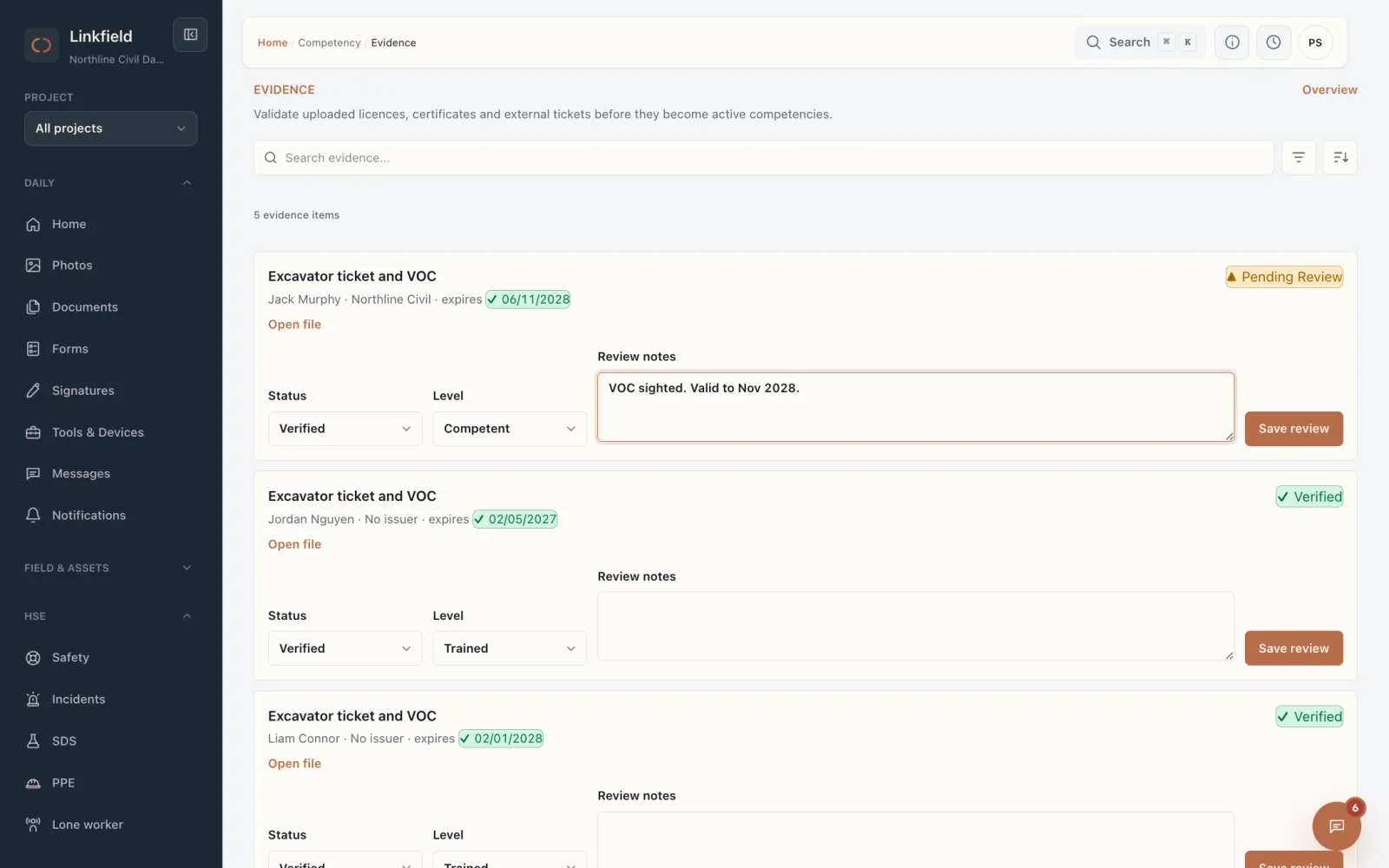
Check it and verify it.
The certificate arrives for review with the file attached. One status change and it becomes an active competency.
-
5
Supervisor · office
Cleared to operate.
Jack is back on the list of people who can run EXC-12, with the proof behind it if a client or the regulator asks.
Your turn
Which workflow would you fix first?
We set up the one that costs you the most on one of your sites, with your machines, people and documents, and your crew uses it for 30 days.